TRW sop
- Introduction and General Rules
- Motherboards
- What Motherboards to Add
- Naming Conventions
- Naming Notes for Specific Manufacturers
- How to add a Motherboard
- Expansion cards
- Hard drives
- Optical/floppy drives
- Chips
- IO ports/Expansion slots
- Manufacturers
- Drivers
- Other/misc
Introduction and General Rules
Short introduction
This Document is meant to be a complete and foolproof guide for TheRetroWeb Curators on how to add, edit, and manage items in all Categories – Motherboards, Chip, Expainsion Cards, Hard Drives, Optical and Floppy Drives, Drivers and all other miscellaneous categories.
It will also try to make new (maybe stricter) Guidelines for Categories that didnt have them well defined or that were without them.
I was forced to make this by ComputerGuy, so please bother him with any issues 
(Also dont forget to read chapter 12)
General Rules
All the general rules will be listed in each respective category chapter, but there are few that are true for every category, some of the most important ones are:
- Try to follow rules listed in this Document
- If you find anything that you think should be changed dont hesitate to bring it up in Discord, but dont do any large changes without at least a discussion with other curators or admins (or Me).
- Try to keep the naming consistent. This is true for every category but as you will see later in this document in later chapters is that its not possible to do on a global scale and lot of the time even on manufacturer by manufacturer basis. Each category will have a list of specific naming conventions for manufacturers or types of items but there will *always* be stuff that doesnt work well with them. (Iam looking at you MSI)
- Be polite :)
Where to ask for help
If you need help there are few places:
1) This document:
- If you are not sure please first check if the answer is in this document, i tried to make this list as complete as i can but there will always be edgecases, exceptions and other weird Stuff not covered.
2) TheRetroWeb Discord:
- Dont hesitate to ask in the Discord Channel for help, there are experts and experienced Curators that will be happy to help with any questions regarding curator work.
3) Me:
- If you didnt find answer in this document or in Discord channel feel free to either ping me in the Discord Channel or DM me directly. I will be happy to help or to double check any work done but please keep in mind iam not an expert on every subject.
Discord Submissions
Discord Submission are User Submissions posted into submissions-feedback Discord Channel
General rules are also written here
General Rules:
(All Category specific rules apply here too, please check those before adding submissions)
1) Age Limit
There is a age/era cutoff age limit for what items we accept in public submissions:
For Motherboards:
We accept all boards with sockets 1366/1156/AM3 and older, but there are exceptions to this rule, we accept motherboard submissions when the motherboard meets one of these criteria:
- Does not appear in Google results
- Vendor has abandoned all support
- Vendor page is unusable, has broken links or there is a chance that it will stop existing soon
- Is an OEM board with no vendor support (no specification page, documentation, bioses etc)
- Is an Engineering Sample
For Graphics Cards:
We accept all Graphics Cards up to Nvidia GTX400 Series and AMD HD 5000 Series, there can be exceptions for newer cards (same criteria as for motherboards apply)
For other Expansion cards and other Items (HDDs, Optical/Floppy Drives, etc.):
Its almost impossible to set a cutoff point that will apply for everything so i will not even try.
As a curator you have a lot of freedom in these categories, same criteria as for motherboards should apply here, but if you think the card or hard drive is too new to be added you have all right to skip it.
2) Images
- All images should be credited with the name of the User posting them (before adding a new creditor please double check that it was not already added under a different name, alias etc.)
- Please try to crop Images so that there is not much empty space around the item (if it was not already done by the User).
We DO NOT accept submission images that break any of these rules:
- all images posted/linked have to be made by the user submitting them or have to be from someone they know/have permission for to use and all parties must agree to CC BY-SA 4.0 license.
- we DO NOT accept eBay/auction site images, web archive images, manufacturer images, etc. in public submissions (this is because we have an increasingly larger submissions backlog and we want to prioritize high quality entries)
3) Marking Submissions
Legend of reactions used on submissions:
- 🔄 Work in Progress
- ✅ Finished
- ❌ Submission is not suitable or breaks some rules
- ❓More info needed
- ❗Help needed from other curators
- ⏰ waiting for more info
4) Other Notes
- You can close finished submission by Right-clicking on it and then clicking *Close Post*
- You can call the BIOS bot on any post that includes Motherboard BIOS File, skipping the need to use #rom-check, you can use this on GPU VBIOS ROMs too. At this time only PCI, AGP and PCIe Card ROMs are supported (ISA, MCA and VLB ROMs are not supported)
Motherboards
What Motherboards to Add
There is technically no limit on what motherboards can a Curator add, but please try to stick to motherboards up to 1150/2011-3/am3+ etc.
Generally, older motherboards and motherboards with removed or non-existent official support have higher priority and should be added sooner than mainstream motherboards with support.
Naming Conventions
Motherboard naming consist most of the time of 3 parts:
Manufacturer Model Revision

Naming can include more more informations that are needed to separate or specify a Variant.
Additional aliases, Motherboard Part Numbers, or Motherboard Assembly Bariants should be added as Aliases.
If you are not sure how the naming for a specific manufacturer or series of motherboards should look like, then you can look into Naming Notes for Specific Manufacturers Chapter or you can look at the format of already added motherboards from that manufacturer, if the naming convention for a motherboard is not stated in this document or we dont have motherboards from that manufacturer added yet you can choose a suitable naming format.
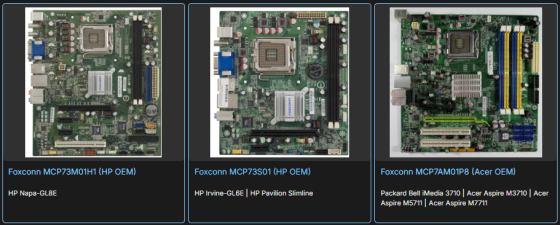
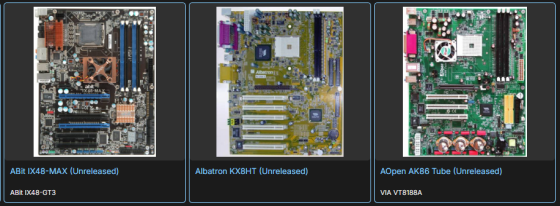
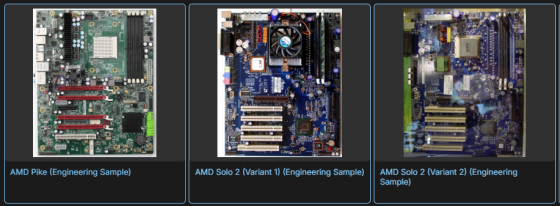
Examples of additional information that can be added to the Main name:
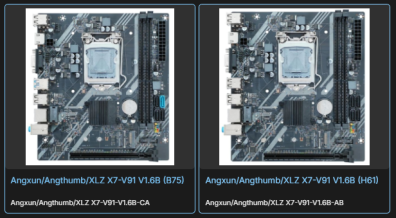
- OEM Variants
- Other Informations (Unreleased, Engineering Sample, Variant, etc.)
Examples of additional information that should be added as an alias:
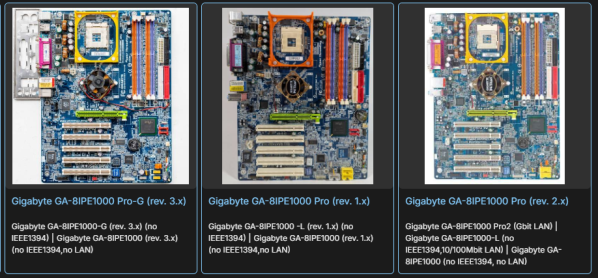
- Assembly Variations of the same Motherboard (No Lan, No Firewire)
- Ordering Part Numbers
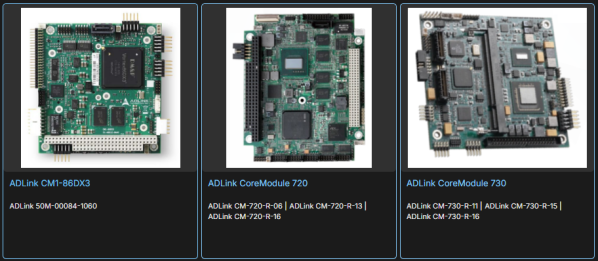
- OEM System Names
Naming Notes for Specific Manufacturers
This chapter is dedicated for exact naming conventions for specific manufacturers that should be followed, these naming conventions were either created by us or by the Manufacturer itself.
The naming for these manufacturers should be followed exactly so we can keep a high consistency.
You can skip this chapter and return here only when searching for a specific naming guide.
The list as of now includes these manufacturers:
- Gigabyte, ASUS, ASRock, Intel, MSI
Gigabyte
Every motherboard that Gigabyte has as a separate website entry should have its own TRW entry, except if its the exact same motherboard revision and its only slightly differently populated (no LAN, no Firewire, or if the board only uses different capacitors (-S and -DS Variants etc.) then it can be added as alias (beware that sometimes they use different bioses)
Revisions should be written in the same format as is on the Gigabyte Website, if the motherboard doesnt have a Gigabyte Website entry then you can find the revision on the PCB (often in a corner), the revision format should always be in the Website format, not the PCB format)
 (Gigabyte Website)
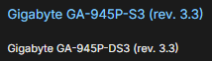 (TheRetroWeb entry)
Asus
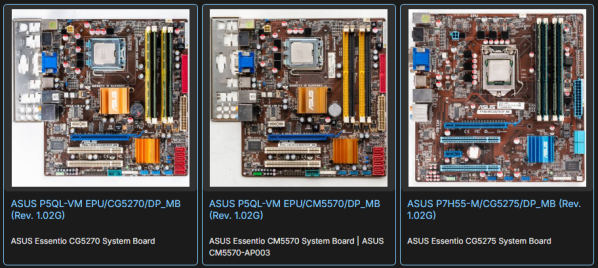
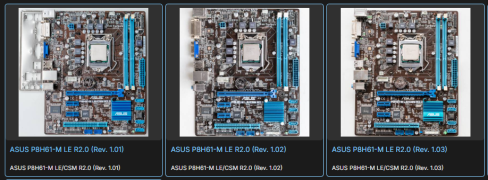
Asus doesnt list the motherboard revision on its website, it can only be found on the PCB itself.

The format used on TRW should look like this, each revision should have its own entry.

ASRock
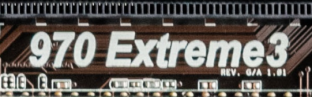
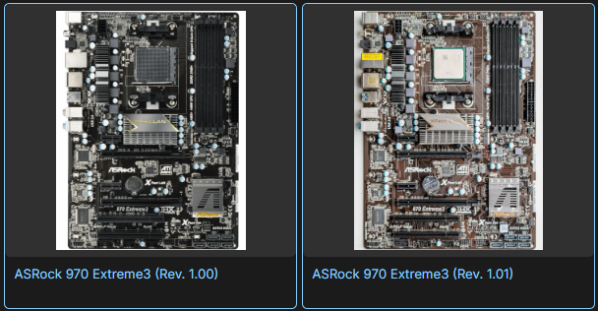
As doesnt list the revisions on its website either, same rules and format as for Asus apply.
(Most ASRock motherboards are not yet splitted by revisions)
Intel
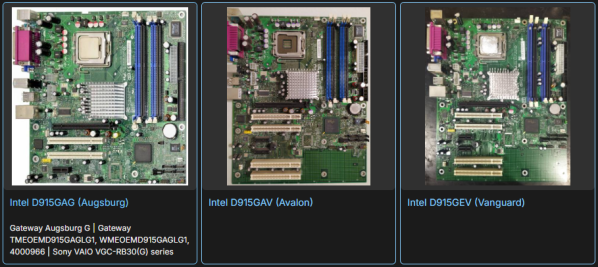
We dont separate the Intel motherboards by revisions, they are not printed on the PCB itself and Intel website doesnt list them either, splits might be needed if there are visibly different PCBs for a specific motherboard.
Naming Format consist of 3 parts.
- Manufacturer (Intel)
- Model (Printed on the PCB)
- Codename (Can be found online, if you are not sure or cant find it then dont add it)
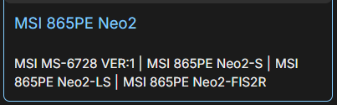
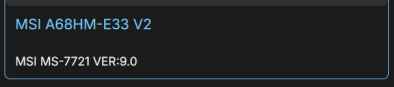
MSI (chaos)
MSI naming can only be described as Chaotic, its not consistent and can be really confusing as MSI doesnt list the actual motherboard name on the PCB.
There are several names, part number and variants that need to be added as aliases.
The first one is the actual motherboard name, they are printed on the PCBs on the newer motherboards but are often entirely missing on the older ones or only a Series name is printed.
Second one is a MSI Part Number (MS-xxxx VER:x.x or MS-xxxx VER:x ), some motherboards have only the Part Number and no official name.
Third one is a specific motherboard variant (-L, -LS, -FSR etc.), these variants mark what components were used - (no LAN, no Firewire) etc. (This name can often only be found on the sticker on the backside of the motherboard)
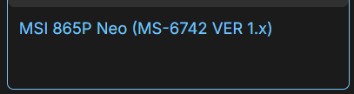
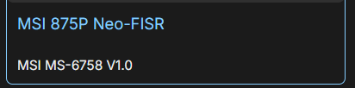
The preffered naming format is this:
- Main name set as the Series name (as printed on the PCB), in this case a 865PE Neo2
- First alias set as the MS-xxxx Part Number
- Other aliases (if possible) a list of specific variants (newer motherboards dont have them)
Correct Format Examples:
Other Accepted Formats (mostly OEM):

Wrong Format examples:
How to add a Motherboard
Finally here huh? I hope i didnt bore you much so far.