
Naming Notes for Specific Manufacturers
This chapter is dedicated for exact naming conventions for specific manufacturers that should be followed, these naming conventions were either created by us or by the Manufacturer itself.
The naming for these manufacturers should be followed exactly so we can keep a high consistency.
You can skip this chapter and return here only when searching for a specific naming guide.
The list as of now includes these manufacturers:
- Gigabyte, ASUS, ASRock, Intel, MSI
Gigabyte
Every motherboard that Gigabyte has as a separate website entry should have its own TRW entry, except if its the exact same motherboard revision and its only slightly differently populated (no LAN, no Firewire, or if the board only uses different capacitors (-S and -DS Variants etc.) then it can be added as alias (beware that sometimes they use different bioses)
Revisions should be written in the same format as is on the Gigabyte Website, if the motherboard doesnt have a Gigabyte Website entry then you can find the revision on the PCB (often in a corner), the revision format should always be in the Website format, not the PCB format)
 (Gigabyte Website)
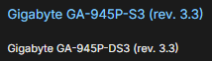 (TheRetroWeb entry)
Asus
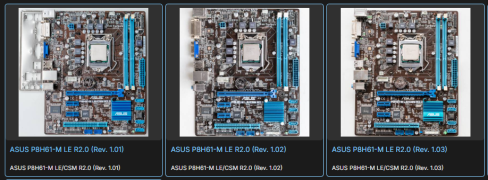
Asus doesnt list the motherboard revision on its website, it can only be found on the PCB itself.

The format used on TRW should look like this, each revision should have its own entry.

ASRock
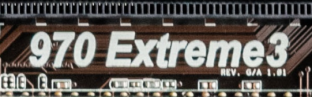
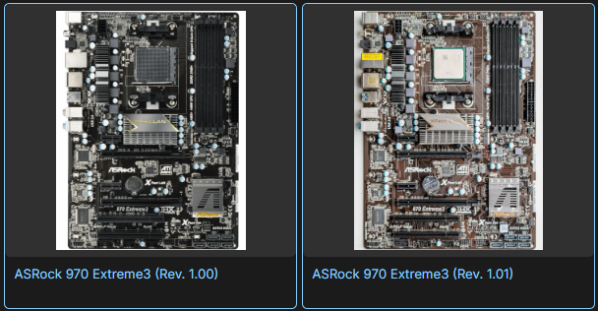
As doesnt list the revisions on its website either, same rules and format as for Asus apply.
(Most ASRock motherboards are not yet splitted by revisions)
Intel
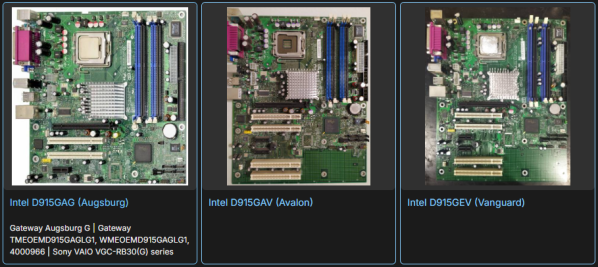
We dont separate the Intel motherboards by revisions, they are not printed on the PCB itself and Intel website doesnt list them either, splits might be needed if there are visibly different PCBs for a specific motherboard.
Naming Format consist of 3 parts.
- Manufacturer (Intel)
- Model (Printed on the PCB)
- Codename (Can be found online, if you are not sure or cant find it then dont add it)
MSI (chaos)
MSI naming can only be described as Chaotic, its not consistent and can be really confusing as MSI doesnt list the actual motherboard name on the PCB.
There are several names, part number and variants that need to be added as aliases.
The first one is the actual motherboard name, they are printed on the PCBs on the newer motherboards but are often entirely missing on the older ones or only a Series name is printed.
Second one is a MSI Part Number (MS-xxxx VER:x.x or MS-xxxx VER:x ), some motherboards have only the Part Number and no official name.
Third one is a specific motherboard variant (-L, -LS, -FSR etc.), these variants mark what components were used - (no LAN, no Firewire) etc. (This name can often only be found on the sticker on the backside of the motherboard)
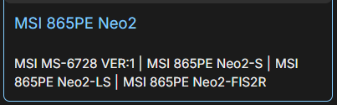
The preffered naming format is this:
- Main name set as the Series name (as printed on the PCB), in this case a 865PE Neo2
- First alias set as the MS-xxxx Part Number
- Other aliases (if possible) a list of specific variants (newer motherboards dont have them)
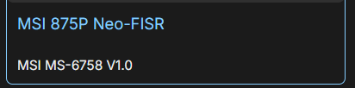
Correct Format Examples:
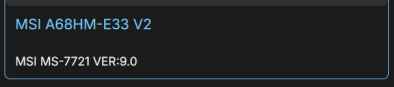
Other Accepted Formats (mostly OEM):

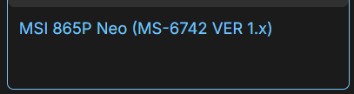
Wrong Format examples:
No comments to display
No comments to display